
 大東 信仁(ものくろ)
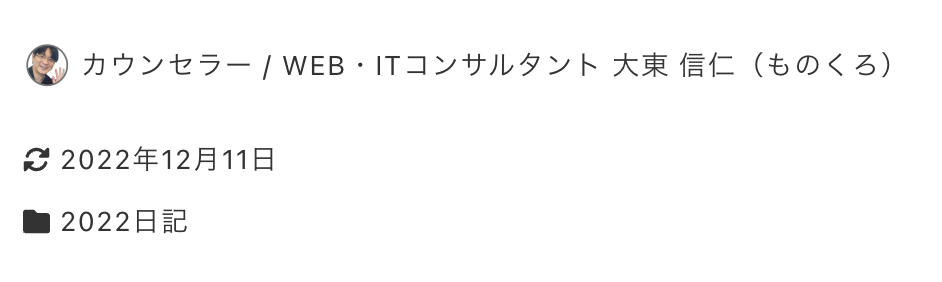
下の画像のように、記事タイトルの下の更新日時、著者名、カテゴリーの表示形式をカスタマイズした。(実際は、1カラム レイアウトへの変更もしている)
functions.phpで表示順を変える方法もあることに、カスタマイズの後に気づいたが、それは秘密ということで。
CSSの flex の order で表示順番を入れ替えて、flex-direction: column で、横でなく、縦方向に並べた。
カスタマイズのCSSはこちら
header.c-entry__header ul.c-meta {
    flex-direction: column;
    align-items: flex-start;
}


li.c-meta__item.c-meta__item--published,
li.c-meta__item.c-meta__item--modified {
	order:2;
}
li.c-meta__item.c-meta__item--categories {
    order: 3;
}

li.c-meta__item.c-meta__item--author {
    margin-bottom: 16px;
    margin-top: 10px;
    order: 1;
}